

HighLevel Funnel Template Library: How SaaS Agencies Can Package Niche Funnels
HighLevel funnel templates are usually not the problem.
The problem is that most agencies keep rebuilding the same funnels as if every client needs something fully custom.
After enough client work, the patterns are easy to see. Appointment funnels. Quote request funnels. Lead magnet funnels. Reactivation funnels. Niche landing pages. The page layout changes, but the job is often the same.
If that work stays trapped inside client accounts, the agency keeps starting too close to zero. A better move is to turn the repeated work into a small HighLevel funnel template library.
Not a massive marketplace. Not 50 random templates. Just a clean starter library built around the funnel types your agency already understands.
Planning your first reusable funnel template? Download the Funnel Template Starter Mapbefore you build it. It helps you map the niche, promise, pages, form fields, follow-up path, editable parts, and support boundary before the funnel becomes another one-off build.
What Is a HighLevel Funnel Template Library?
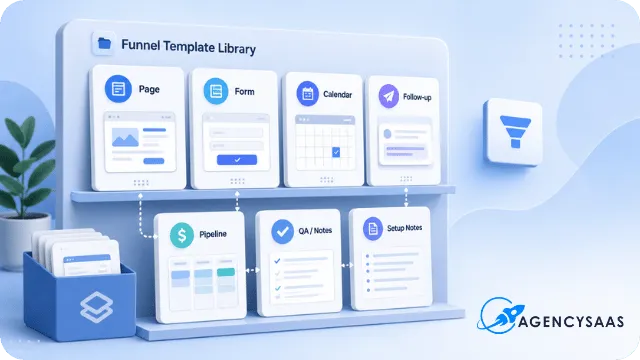
A HighLevel funnel template library is a small collection of reusable funnel assets built around clear use cases.
That is the simple version.
The better version is this: a funnel template library gives your agency a reusable starting point for funnel builds that happen again and again. It helps your team stop rebuilding the same structure manually, and it gives clients or buyers a cleaner way to start from something already mapped.
A useful library can include:
landing page templates
thank-you pages
forms
booking pages
suggested tags
workflow notes
pipeline setup notes
email or SMS follow-up copy
import or customization instructions
That does not mean every template needs to include every piece.
A lead magnet funnel may only need a landing page, thank-you page, form, tag, delivery email, and follow-up note. A consultation funnel may need a landing page, form, calendar, confirmation page, pipeline stage, internal notification, and no-show reminder path.
The point is not to make every template bigger.
The point is to make every template clearer.
A useful library with three strong niche funnels is better than 30 vague templates nobody knows how to use.
Why SaaS Agencies Should Package Funnels Instead of Rebuilding Them
Reusable funnel work saves more than design time.
It gives the agency a cleaner delivery model.
When every funnel starts from scratch, the agency has to rethink the same pieces every time: page order, offer structure, form fields, thank-you page copy, booking path, workflow trigger, pipeline stage, and support notes.
That is fine when every project is truly custom.
It is wasteful when the work repeats.
A funnel library helps a GHL SaaS agency launch faster, create cleaner client onboarding, build free resources, sell paid templates, and turn internal delivery shortcuts into real assets.
That fits the broader AgencySaaS path too. The site already points operators toward AgencySaaS free resources and templates, not random theory. A HighLevel funnel template library belongs in that same world.
The library becomes a place where reusable work stops being buried inside client accounts.
It becomes something your team can use, improve, sell, or give away.
Start With the Funnels You Already Build Often
Do not start by planning a giant template store.
That is where the idea gets too big too fast.
Start with repeated work.
Look at the last few clients or internal builds. Which funnels keep showing up? Which page structures feel familiar? Which offers keep using the same basic flow?
Common starting points include:
appointment booking funnel
quote request funnel
consultation funnel
free guide funnel
missed-call recovery funnel
reactivation funnel
seasonal promo funnel
webinar or training funnel
The first template should come from something your agency already understands.
That matters because a reusable funnel is not only a page design. It carries assumptions about the niche, offer, form, follow-up, and sales path.
If your team already builds quote request funnels for home service clients, start there. If your agency has built five different med spa consultation funnels, start there. If your SaaS offer already helps fitness studios book trials, start there.
Do not choose the funnel that looks clever.
Choose the one your agency can explain without guessing.
Pick a Niche or Use Case Before You Build the Template
Generic templates are harder to sell because the buyer has to finish the thinking.
A “local business funnel” sounds flexible, but it forces the buyer to decide the offer, audience, copy angle, form fields, follow-up path, and success point.
That is too much blank space.
A niche template gives the buyer a clearer picture.
Weak:
Local business funnel
Better:
Roofing storm damage inspection funnel
Med spa consultation funnel
Fitness trial class booking funnel
Emergency plumbing callback funnel
The niche does more than make the name stronger.
It tells you what the page needs to say. It shapes the form fields. It affects the follow-up. It changes the promise. It changes the level of urgency. It changes what the lead expects after submitting.
A roofing storm damage funnel may need inspection timing, service area, insurance-related language, and fast callback logic. A fitness trial class funnel needs class type, preferred schedule, waiver or intake expectations, and a clear booking path.
Same platform. Different operating path.
That is why niche HighLevel funnel templates usually work better than broad templates. They are easier to explain, easier to edit, and easier to package.
Decide What Each Funnel Template Includes
A real template is not just a nice-looking page.
That is the mistake many agencies make when they start packaging funnel work.
They export a design, give it a name, and call it a template. Then the buyer imports it and asks the real questions:
What form should I use? What tag starts the workflow? Which pipeline stage should this go into? What does the thank-you page say? What should the first SMS include? What do I edit before launch?
If those answers are missing, the template is unfinished.
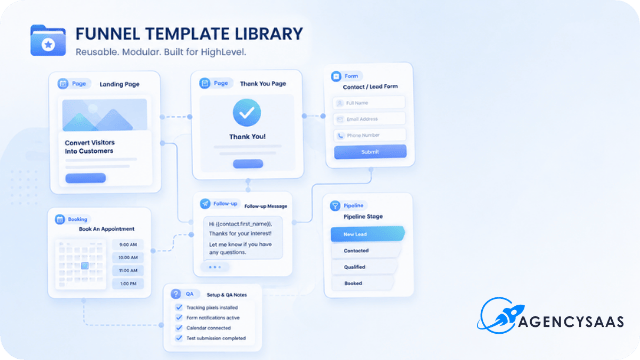
A strong HighLevel funnel template may include:
landing page
thank-you page
form
booking calendar
tags
custom fields
pipeline stage notes
workflow outline
confirmation message
internal notification
follow-up email or SMS copy
setup notes
The more reusable the asset becomes, the more the included pieces matter.
A funnel page can look clean and still create support problems. The buyer does not only need the design. They need to know what the funnel expects from the account.
This is the same logic behind packaging a HighLevel workflow template. The file is only one part of the asset. The setup notes, required fields, QA steps, and support limits are what make it usable outside your own account.
HighLevel Funnel Templates Need One Conversion Goal
Every reusable funnel needs one job.
Not five.
One.
A funnel template can book a consultation. It can request an estimate. It can deliver a guide. It can claim an offer. It can schedule a class. It can request a callback. It can reactivate an old lead.
But if the template tries to do too many things, it becomes harder to package and harder to use.
Use this formula before building:
This funnel helps [NICHE] get [TYPE OF LEAD OR ACTION] for [SPECIFIC OFFER OR SERVICE].
Example:
This funnel helps fitness studios get trial class bookings from local paid traffic.
That sentence does a lot of work.
It names the niche. It names the action. It names the offer path. It keeps the funnel from turning into a generic page pack.
If you cannot fill in that sentence, the template is probably not ready to build yet.
Map the Funnel Pages Before Designing
Page mapping keeps the template from getting bloated.
Most agencies move into design too early. They open the builder, start arranging sections, and then the funnel slowly becomes a pile of nice blocks with no clear path.
Map the pages first.
HighLevel’s own funnel setup flow allows users to create funnels from blank, from AI, or from templates, then customize the funnel in the editor. That is useful, but the agency still needs to decide the funnel job before touching layout.
A simple template map might look like this:
PageJobLanding pageSell the offer and collect the leadThank-you pageConfirm the action and give the next stepBooking pageLet the lead pick a time if booking is part of the promiseConfirmation pageReduce no-shows and set expectations
That may be enough for a starter template.
Do not add pages just because the builder makes it easy. Add pages because the conversion goal needs them.
A quote request funnel may not need a separate booking page. A consultation funnel probably does. A lead magnet funnel needs delivery clarity more than a long sales sequence.
Page count should follow the job.
Add the Follow-Up Path, Not Just the Funnel Design
A HighLevel funnel template is weaker if it only includes pages.
Inside HighLevel, the page is only the front door. The follow-up path is where the template becomes useful.
That path may include:
tag
pipeline stage
internal notification
first email
first SMS, if relevant
booking link
task creation
stop condition
source tracking
This is where a reusable funnel becomes an operating asset instead of a design file.
If the template collects a quote request, what happens next? Does the lead move to a pipeline stage? Does the owner get notified? Does the lead receive a confirmation message? Does the workflow stop once the lead books? Does the source stay visible?
Those pieces matter.
HighLevel’s workflow template docs show that users should review structure, check prerequisites, customize logic, and test before activation. That same thinking belongs inside your funnel library.
A funnel template that captures leads but does not explain the follow-up path creates support drag.
The buyer thinks the funnel is broken.
Usually, the handoff was just unclear.
Template Packaging Check
Do not build another one-off funnel from scratch.
If you already build similar funnels for clients, use the Funnel Template Starter Map to decide what should become reusable, what should stay custom, and what needs setup notes before you share it.
Mark What the Buyer or Client Should Customize
A reusable template needs clear editable parts.
Without that, buyers guess.
Some buyers will under-edit the template and launch something that still sounds like your sample. Others will over-edit the template and break the structure. Then they come back with support questions that should have been prevented in the setup notes.
Mark the parts that should change before launch.
Common editable items include:
logo
colors
hero headline
offer name
form fields
calendar link
phone number
testimonials
location details
FAQ answers
email or SMS copy
Also mark the parts that should not change without care.
For example, the form field names may connect to workflow logic. A tag may start the follow-up path. A calendar link may control booking behavior. A hidden field may carry the source.
If the buyer changes those pieces without understanding the connection, the template may stop working.
That is why setup notes are not extra. They are part of the product.
Set Support Boundaries Before You Give or Sell the Template
A cheap or free template can turn into unpaid custom work fast.
That usually happens because the boundary was never named.
The buyer sees “template” and hears “working system.” The agency sees “template” and means “starting point.” That gap creates the support problem.
Decide what support includes before the template goes live.
Included might be:
import instructions
setup notes
field list
tag list
basic troubleshooting notes
Not included might be:
custom copywriting
full account setup
custom automations
Zapier or Make setup
one-on-one implementation
unlimited edits
This is the same support-boundary issue that shows up with snapshots. If you plan to package templates as part of a bigger asset library, read the HighLevel snapshot support boundaries guide before publishing the offer.
The smaller the template price, the clearer the support boundary needs to be.
Low price plus unclear setup is how a simple asset becomes another job.
Choose Whether Each Template Is Free, Paid, or Client-Only
Not every template should be sold.
Some templates work better as free resources. Some are better as paid products. Some belong inside client onboarding. Some should never leave your internal delivery system.
Make that decision before you publish the template.
Template UseBest ForFree lead magnetEmail list growthPaid templateDirect product revenueClient onboarding assetFaster deliveryBonus inside a packageHigher offer valueInternal delivery toolStandard build process
A free template should be easy to understand and light to support. It should create trust without dragging your team into custom setup.
A paid template needs stronger documentation, clearer QA steps, and a better product page.
A client-only template can include more setup assumptions because your team controls the delivery path.
An internal delivery tool may never need a public product page, but it still needs clean notes so your team does not rebuild from memory.
If a template becomes part of a wider SaaS offer, pricing has to account for setup weight and support load. That connects directly to theSaaS pricing matrix. The price should reflect the work the template creates after someone gets access.
HighLevel also supports snapshot-style packaging inside SaaS plans, which matters if your agency is thinking beyond one downloadable template and toward a larger SaaS asset path.
A Simple 5-Template Starter Library for a GHL SaaS Agency
A starter library does not need to cover every niche.
Start with five funnel types that solve common operator problems.
1. Lead Magnet Funnel
This funnel gives the agency a clean way to capture emails around a guide, checklist, workbook, or free resource.
It usually includes a landing page, thank-you page, form, delivery email, tag, and follow-up note.
2. Appointment Booking Funnel
This funnel turns interest into booked calls, consultations, trials, or demos.
It usually needs stronger calendar logic, confirmation copy, reminder notes, and a no-show path.
3. Quote Request Funnel
This funnel works well for home services, local service providers, and agencies that need lead details before a call.
The form matters more here. Bad fields create bad leads.
4. Missed-Call Recovery Funnel
This funnel helps reconnect with leads who tried to reach the business but did not get a live answer.
The page may be simple, but the follow-up path needs ownership, timing, and a stop condition.
5. Reactivation Funnel
This funnel gives old leads, cold contacts, or past customers a reason to raise their hand again.
It may include a short offer page, form, tag, pipeline stage, and a follow-up path that does not feel like a generic blast.
That five-template library is enough to start.
It gives your agency free-resource options, paid-template options, and internal delivery shortcuts without building a giant store.
Connect the Library to Client Onboarding
A HighLevel funnel template library becomes more useful when it connects to onboarding.
If a new SaaS client buys your offer and the first experience is a blank account, they may stall. If the client starts with a niche funnel, a clear first action, and a simple setup path, the offer feels more real.
This does not mean every client gets every template.
It means the right template can become the first-value path.
For example, a fitness SaaS client may start with the trial class booking funnel. A roofing client may start with the storm inspection funnel. A med spa client may start with the consultation funnel.
The funnel gives the client something concrete to launch.
Your onboarding path should then collect the details needed to make that funnel useful: logo, offer name, calendar, phone number, location, service area, form details, and follow-up preferences.
If your onboarding still depends on manual chasing, connect this article to HighLevel client onboarding automations. The template library gets cleaner when the setup path after download or purchase is also clear.
Document HighLevel Funnel Templates Before Publishing
Before you publish a free or paid funnel template, document the template like someone else has to use it without asking you ten questions.
At minimum, document:
funnel name
who it is for
what it helps them do
pages included
form fields
tags
workflows
pipeline stages
editable sections
setup steps
support boundary
next offer or CTA
This checklist is where many template ideas become real products.
Not because the list is fancy.
Because it forces the agency to stop treating the template like a saved page and start treating it like a reusable asset.
Before You Build
Turn one repeatable funnel into a reusable asset.
Start with one funnel you already understand. Map it clearly. Then decide whether it belongs in your free resources, paid templates, client onboarding, or internal delivery system.
Final Takeaway
A funnel template library does not start with a giant marketplace.
It starts with one reusable funnel that has a clear use case, clear setup notes, and a clear boundary.
Then you build the next one.
Then the next one.
Over time, your agency stops treating repeated funnel work like custom work every time. The library becomes a cleaner way to deliver, sell, teach, and build from work you already know how to do.
If you want the simplest first step, use the Funnel Template Starter Map. Map one funnel before you design the library around it.